Robotic Process Automation in Software Testing: Complete Guide for Beginners (2026)
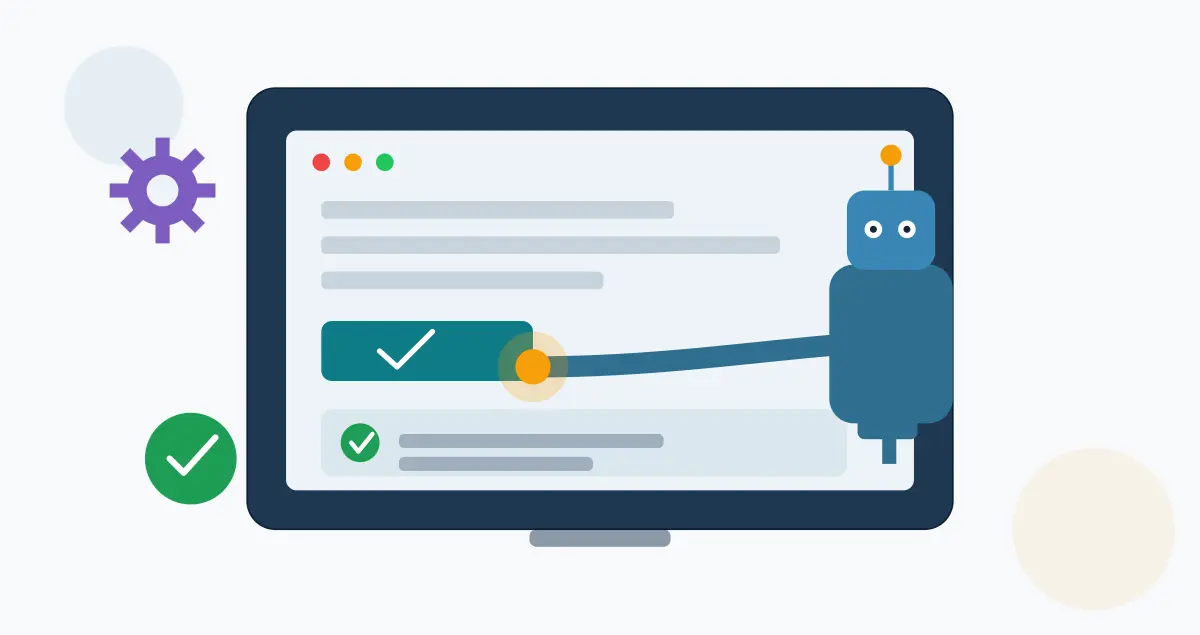
Robotic process automation in software testing means using software bots — the same category of tool built to automate invoice processing or data entry — to click, type, and navigate through an application the way a human tester would, without writing code against the application’s internal APIs. It’s a real, growing practice in QA teams. It’s also frequently confused with test automation itself, and that confusion is where most beginner mistakes start.
This guide exists because most of what ranks for this topic either treats RPA and test automation as interchangeable (they aren’t) or buries the one question a beginner actually has: should my team use RPA for testing, or does this project need a dedicated test automation tool instead? You’ll walk away knowing the difference, where RPA genuinely earns its place in a QA workflow, where it doesn’t, and how to make that call for your own team.
Key takeaways
- RPA bots interact with an application’s user interface, the same way a human does — they don’t call APIs or read source code, which is both their biggest strength and their biggest limitation in testing.
- RPA is not a replacement for dedicated test automation frameworks like Selenium, Playwright, or Tricentis — it’s a complementary tool best suited to specific situations, not a default choice.
- The strongest use case is automating repetitive, cross-application data workflows around testing (test data setup, environment provisioning, report distribution) rather than the core assertions that verify a feature works correctly.
- RPA bots are more fragile to UI changes than API-level test scripts, since they typically identify elements visually or by screen position rather than by code-level selectors.
- Teams that succeed with RPA in testing usually start with one narrow, high-repetition process, not a full regression suite.
What is robotic process automation in software testing?
Robotic process automation in software testing is the use of software bots that mimic a human tester’s on-screen actions — clicking buttons, entering data, moving between applications — to execute repetitive testing tasks without a dedicated test automation framework. It’s most useful for tasks that involve moving data between systems rather than verifying application logic.
That definition matters because it’s easy to conflate with test automation generally. RPA emerged from business process automation — the tools built to eliminate manual data entry in finance, HR, and operations — and QA teams borrowed it because the underlying skill (interacting with a UI without writing custom code for every screen) transfers directly to certain testing tasks.
RPA vs. traditional test automation: what’s actually different
This is the question that determines everything else in this guide, and it’s worth answering directly before going further.
Test automation frameworks like Selenium, Playwright, and Cypress are purpose-built for testing. They’re designed to assert outcomes (“this field should show an error”), integrate with CI/CD pipelines, and fail loudly with a stack trace pointing at the exact broken element. RPA platforms like UiPath, Automation Anywhere, and Microsoft Power Automate were built to automate business processes first — testing is a secondary use case they’ve grown into, usually by adding assertion and reporting features on top of a UI-automation core.
| Dimension | RPA (UiPath, Automation Anywhere, Power Automate) | Test automation frameworks (Selenium, Playwright, Tricentis) |
|---|---|---|
| Primary design goal | Automate repetitive business processes | Verify application behavior against expected results |
| How it interacts with the app | Screen/UI-level (clicks, screen coordinates, OCR) | Code-level (DOM selectors, APIs, accessibility tree) |
| Built-in test assertions | Limited, often bolted on | Core feature |
| CI/CD pipeline integration | Possible, but not the native design center | Native and mature |
| Best suited to | Cross-application data workflows, test data setup, legacy UIs with no API | Functional regression, unit, integration, and end-to-end testing |
| Maintenance when UI changes | Higher — visual/coordinate-based selectors break more easily | Lower — selector strategies are more resilient by design |
| Coding skill required | Low to moderate (often low-code/drag-and-drop) | Moderate to high |
A practical way to hold this distinction: if the task is “verify that submitting this form produces the correct result,” reach for a test automation framework. If the task is “move 500 test records from a legacy mainframe screen into a test environment before regression starts,” RPA is often the faster build.
How RPA actually works in a testing workflow
An RPA bot in a testing context typically follows the same build pattern regardless of vendor:
- Record or define the process. Most RPA platforms let a QA engineer record a sequence of UI actions (or build one visually in a flow designer) rather than writing a script from scratch.
- Identify UI elements. The bot needs a way to reliably find the button, field, or menu it’s interacting with — usually through image recognition, screen coordinates, or accessibility metadata, depending on the platform and how the target application is built.
- Add data and logic. Test data gets fed in (often from a spreadsheet or database), and simple conditional logic handles branching (“if this screen appears, do X; otherwise, do Y”).
- Add validation checks. Modern RPA platforms include basic assertion capability — checking that a value appeared, a screen loaded, or a status changed — though this is generally less granular than what a dedicated test framework provides.
- Schedule and monitor. Bots run on a schedule or trigger, with results logged to a dashboard the QA team reviews.
The friction point beginners hit almost immediately is step 2. An application with a stable, well-structured UI and consistent element IDs is a reasonable RPA target. An application with a UI that shifts frequently — new builds, responsive layout changes, dynamic component libraries — will break screen-based bots often enough that the maintenance cost can outweigh the time saved.
Where RPA genuinely helps QA teams
RPA earns its place in a testing workflow in a specific, narrower set of situations than most vendor marketing suggests:
- Test data setup and teardown. Populating a test environment with hundreds of records pulled from a legacy system with no accessible API is exactly the repetitive, cross-application task RPA was built for.
- Legacy applications with no test-friendly interface. Mainframe terminal emulators and older desktop applications often can’t be tested with modern frameworks at all — RPA’s screen-level approach may be the only automation option available.
- Cross-system regression checks. Verifying that an order placed in one system correctly appears in three downstream systems (a CRM, a billing platform, a shipping tool) is a workflow-automation problem as much as a testing problem, and RPA handles that multi-app hop reasonably well.
- Reporting and distribution. Pulling test results from multiple tools into a single status report and distributing it — a task with zero application logic to verify — is a strong, low-risk starting point for a team’s first RPA testing bot.
A mid-sized fintech company running nightly regression against both a modern web app and a 15-year-old back-office terminal system is a realistic scenario where this split makes sense: Playwright covers the web app’s functional tests, while an RPA bot handles nightly test data refresh from the terminal system that has no API to hit directly.
Where RPA falls short for testing
The honest limitations matter as much as the use cases, and a beginner evaluating RPA for testing should know these going in:
- Fragility to UI changes. Screen-based element identification breaks more often than code-level selectors, especially across app updates, responsive breakpoints, and A/B-tested UI variants.
- Weaker assertion and reporting depth. Most RPA platforms weren’t built to produce the granular pass/fail detail and stack-trace-level debugging a dedicated test framework gives for free.
- Limited CI/CD-native integration. Plugging an RPA bot into a modern pipeline that runs on every commit is possible but typically requires more custom work than frameworks designed for that from day one.
- Licensing cost at scale. Most enterprise RPA platforms price per bot or per process; running a large regression suite through RPA licensing can cost meaningfully more than an open-source test framework running the same volume.
- Not a substitute for unit or API testing. RPA operates at the UI layer only — it has nothing to say about whether the underlying code or API logic is correct, which is where most defects are cheaper to catch.
A beginner’s decision framework
Before building an RPA testing bot, work through these questions in order:
- Does the application have a testable API or accessible DOM? If yes, a test automation framework is almost always the better starting point.
- Is the task about verifying behavior, or moving data? Verification favors a test framework. Data movement across systems is where RPA is a reasonable fit.
- How often does the UI change? Frequent UI churn makes RPA maintenance costs add up fast — this favors more resilient, code-level automation.
- Is this a one-off or a scheduled recurring task? RPA’s scheduling and orchestration strengths matter more for recurring operational tasks than one-time test runs.
- What’s the realistic maintenance owner? RPA bots built by QA but maintained by an overworked ops team tend to decay quickly — confirm ownership before building.
Common mistakes teams make
- Trying to replace a whole regression suite with RPA on day one. Teams that start narrow — one repetitive, low-risk process — build the internal expertise to judge where RPA actually fits before expanding.
- Choosing RPA because it’s “no-code” without checking UI stability. Ease of initial setup doesn’t offset a high-churn UI; the maintenance cost shows up a few sprints later, not on day one.
- Skipping a maintenance owner. An RPA bot with no assigned owner after the initial build is usually the first thing that silently breaks and stays broken.
- Ignoring the assertion gap. Some teams discover mid-project that their RPA platform’s built-in validation isn’t granular enough for the defect detail their release process requires, and end up bolting on a separate reporting layer.
Market context
According to Grand View Research’s most recent industry analysis (2026), the global robotic process automation market was estimated at roughly $6.04 billion for 2026, with the software segment — the category RPA-for-testing tools fall into — accounting for more than 70% of total market revenue in 2025. That growth reflects broad business-process adoption across finance, HR, and operations; testing remains a secondary, growing use case within that larger market rather than RPA’s primary application.
Getting started: a practical first project
If your team is evaluating RPA for testing for the first time, the lowest-risk starting point is usually test data provisioning — pulling records from a system without an API into a test environment before a regression cycle. It’s low-stakes if the bot fails (worst case, you provision data manually as a fallback), it’s genuinely repetitive, and it gives your team a real read on maintenance overhead before committing RPA to anything closer to your core regression suite. For a closer look at how RPA compares against other process-automation categories for QA specifically, see AppLayer’s best process automation software for testing guide.
Frequently asked questions
Is RPA the same as test automation?
No. RPA automates repetitive UI-level tasks across one or more applications, originally for business processes. Test automation frameworks are purpose-built to verify application behavior, integrate with CI/CD pipelines, and provide detailed failure diagnostics – RPA can support testing workflows but isn’t a substitute for a dedicated test framework.
Can RPA test mobile apps?
Most major RPA platforms offer some mobile automation capability, typically through screen-based interaction similar to their desktop approach. It works best for simple, stable mobile workflows and struggles with the same UI-churn issues seen in web and desktop testing.
Do QA engineers need to code to use RPA?
Most RPA platforms are low-code, using visual flow builders and recorded actions rather than scripting. Some coding knowledge helps for handling conditional logic and exceptions, but it’s a lower barrier to entry than most dedicated test automation frameworks.
What’s the difference between RPA and AI agents in testing?
RPA follows explicit, pre-defined rules and screen sequences. AI agents, an increasingly common addition to modern automation platforms, can adapt to some UI changes and make context-based decisions rather than following a fixed script – see AppLayer AI agents and automation guide for how that distinction plays out in practice.
Is RPA worth the licensing cost for a small QA team?
Usually not as a primary testing tool. Small teams with limited legacy-system dependencies typically get more value from open-source test automation frameworks; RPA licensing tends to make more sense once a team has recurring, cross-application data tasks at meaningful volume.
