
What is cloud ERP software? Benefits, features, and how it works
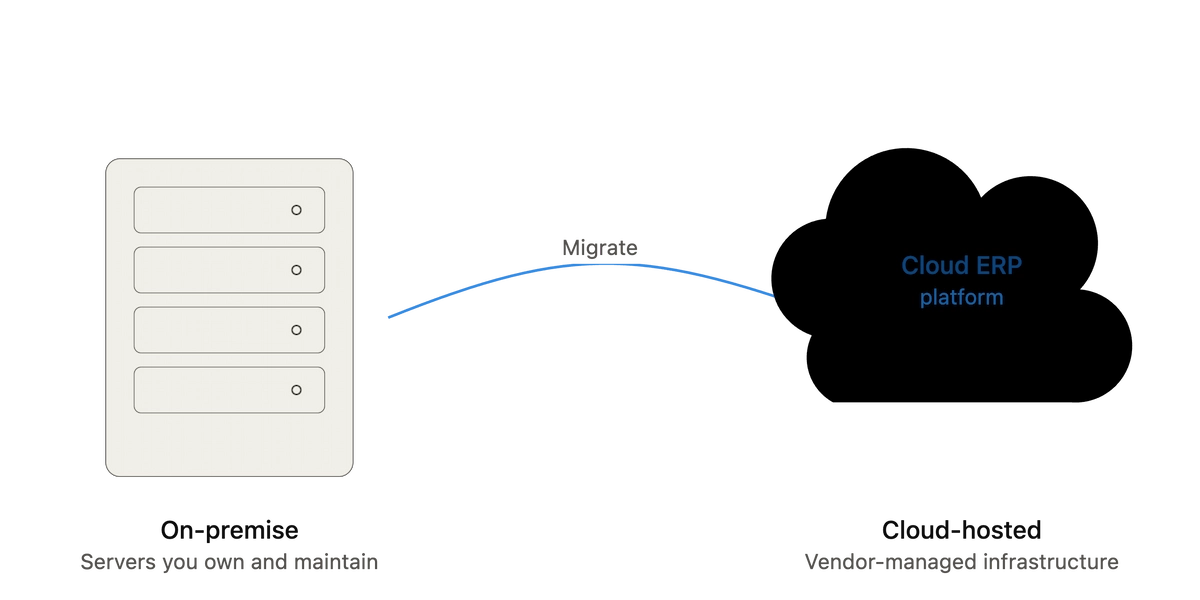
Cloud ERP software is enterprise resource planning software hosted on a vendor’s servers and delivered over the internet, typically as a subscription, instead of running on hardware you own and maintain. It connects finance, inventory, procurement, manufacturing, and HR into one shared system of record, so every department works from the same data instead of a patchwork of spreadsheets and disconnected tools.
By the end of this guide, you’ll know exactly what cloud ERP does, how the technology actually works under the hood, which features matter most, what it costs, and how to tell if your business is ready for it — or better served by waiting.
Key takeaways
- Cloud ERP replaces on-premise servers and IT maintenance with a subscription model where the vendor handles hosting, security, and updates.
- About 70.4% of all ERP deployments were cloud-based in 2025, and 78.6% of new ERP implementations chose cloud over on-premise — cloud is now the default, not the alternative.
- The three deployment models — public, private, and hybrid cloud — trade off cost, control, and compliance differently, and the right one depends on your industry and data sensitivity.
- The public cloud segment led the cloud ERP market with 47.38% share in 2026, largely because it’s the cheapest and fastest option for small and mid-sized businesses.
- Gartner estimates that 55–75% of ERP projects fail to meet their stated objectives — the software itself is rarely the reason; scope, data cleanup, and change management usually are.
What cloud ERP actually is
ERP, short for enterprise resource planning, is software that unifies the core operational functions of a business — accounting, procurement, inventory, order management, manufacturing, and often HR — into a single connected system. “Cloud” describes how that system is delivered: instead of installing the software on servers in your building and maintaining it yourself, you access it over the internet, and the vendor owns the infrastructure underneath it.
That distinction matters more than it sounds. On-premise ERP requires you to buy servers, license the database, hire IT staff to patch and secure it, and plan a multi-year hardware refresh cycle. Cloud ERP shifts nearly all of that work to the vendor. You log in through a browser, the vendor pushes updates automatically, and your monthly or annual subscription covers hosting, security patching, and (usually) a defined uptime guarantee.
Most cloud ERP today is sold as SaaS (software as a service) — a single, multi-tenant version of the software that many customers share, configured rather than customized. This is the model behind platforms like NetSuite, Microsoft Dynamics 365 Business Central, and Acumatica. A smaller share of the market runs ERP on infrastructure the customer controls (private cloud or a hosted single-tenant instance) for stricter compliance or customization needs — more on that trade-off below.
How cloud ERP works
Cloud ERP runs on infrastructure owned by the vendor (or a cloud provider the vendor contracts with, such as AWS, Microsoft Azure, or Google Cloud) and is delivered to your team through a web browser or a lightweight client app. Here’s what happens behind that simple login screen:
- Centralized database. Every module — finance, inventory, sales, manufacturing — reads from and writes to the same underlying database, in real time. When a warehouse team logs a shipment, the finance team’s inventory valuation updates immediately, without a batch import or a manual reconciliation.
- Multi-tenant architecture. Most SaaS ERP platforms run one shared codebase serving many customers, with each customer’s data logically isolated. This is why updates roll out automatically to everyone at once, rather than requiring each customer to schedule and test their own upgrade.
- API-based integration. Cloud ERP connects to your other business tools — a CRM, an e-commerce platform, a payroll provider — through APIs, rather than the custom point-to-point integrations common in older on-premise systems.
- Vendor-managed security and uptime. The vendor handles server maintenance, patching, backups, and disaster recovery, typically backed by a service-level agreement (SLA) specifying uptime and support response times.
- Configuration over customization. Because everyone runs the same core codebase, cloud ERP is built to be configured — workflows, fields, and permissions adjusted through settings — rather than deeply customized with custom code, which would break with every vendor update.
The practical result: your team accesses the same live financial and operational data whether they’re in the main office, a warehouse, or working remotely, and the system updates itself instead of waiting for your IT team’s next maintenance window.
Core features of cloud ERP software
Feature sets vary by vendor and by industry edition, but a genuine ERP platform — cloud or otherwise — covers most of the following:
- Financial management. General ledger, accounts payable and receivable, fixed assets, multi-currency and multi-entity consolidation, and financial reporting.
- Inventory and supply chain management. Real-time stock levels, demand forecasting, purchase order automation, and warehouse management.
- Manufacturing and production. Bill of materials, production scheduling, shop floor tracking, and quality management, for companies that make physical products.
- Order management. Quote-to-cash workflows connecting sales orders, fulfillment, invoicing, and revenue recognition.
- Procurement. Vendor management, purchase requisitions, approval workflows, and spend visibility.
- Human resources and payroll. Core HR, time tracking, and payroll — either native or through a tight integration with a dedicated HRIS.
- Business intelligence and reporting. Dashboards and reports pulling from live operational data, rather than a separate data warehouse refreshed overnight.
- Mobile access. Native or browser-based mobile apps for approvals, inventory counts, and reporting from the field or warehouse floor.
A common mistake growing companies make is buying every module available at the outset instead of scoping the rollout to what the business actually runs today — the same over-buying pattern that inflates cost and slows adoption in CRM deployments. Start with finance and the one or two operational modules causing the most pain (usually inventory or order management), and add modules as the team is actually ready to use them.
Benefits of cloud ERP software
Lower upfront cost. Cloud ERP eliminates the capital expense of servers and data center infrastructure, replacing it with an operating expense — typically a per-user, per-month subscription. For a mid-sized business, this can mean avoiding a six- or seven-figure hardware investment before the software has proven its value.
Faster deployment. Because the infrastructure already exists, cloud ERP implementations generally move faster than on-premise projects, which often require procuring and configuring hardware before the software work even begins. A focused cloud ERP rollout for a single-entity mid-market company can go live in a matter of months rather than a year or more.
Automatic updates and security patching. The vendor pushes new features, bug fixes, and security patches on a regular cadence, without requiring your IT team to plan and test an in-house upgrade. This matters more than it sounds: unpatched on-premise systems are a common source of both security incidents and compliance findings.
Scalability without a hardware refresh. Adding users, entities, or transaction volume in a cloud system is typically a matter of adjusting your subscription tier, not procuring new servers. This is especially valuable for companies growing through acquisition or rapid headcount expansion, where hardware capacity planning would otherwise lag the business.
Remote and multi-location access. Because the system lives in the cloud rather than on a local network, teams across multiple warehouses, offices, or time zones work from the same live data without a VPN into a single physical location.
Built-in disaster recovery. Vendor-managed backups and redundant infrastructure typically provide stronger disaster recovery than most mid-sized companies could build and maintain in-house.
None of this makes cloud ERP free of trade-offs. You’re depending on the vendor’s uptime and security practices, subscription costs compound over a multi-year horizon in a way a paid-off on-premise license doesn’t, and heavy customization is harder in a shared, multi-tenant environment. A serious evaluation weighs these honestly rather than treating cloud as a strictly better version of on-premise.
Cloud ERP vs. on-premise ERP
| Cloud ERP | On-premise ERP | |
|---|---|---|
| Upfront cost | Low — subscription-based, minimal hardware | High — servers, licenses, data center space |
| Ongoing cost | Recurring subscription fees, scale with usage | Lower recurring cost after initial purchase, plus IT staffing |
| Deployment time | Weeks to a few months for a focused rollout | Often 12+ months, including hardware procurement |
| Updates | Automatic, vendor-managed, continuous | Manual, scheduled by your IT team, often infrequent |
| Customization | Configuration-based; deep customization is limited | Extensive custom code possible, at higher long-term cost |
| IT staffing | Minimal in-house IT required | Requires dedicated IT/database administration staff |
| Data control | Data resides with the vendor or their cloud provider | Data resides entirely on infrastructure you control |
| Accessibility | Available anywhere with internet access | Typically requires VPN or on-site network access |
| Disaster recovery | Vendor-managed, usually built into the subscription | Your responsibility to design, build, and test |
The honest reason most growing companies now default to cloud isn’t ideology — it’s that 78.6% of new ERP implementations already choose cloud over on-premise, and the businesses still evaluating on-premise are almost always doing so for a specific, defensible reason: regulatory data residency requirements, an existing heavy investment in customized on-premise infrastructure, or an industry (defense, some government contracting) where cloud simply isn’t an option yet.
Types of cloud ERP deployment
Not all “cloud ERP” is the same infrastructure. Three deployment models cover most of the market:
Public cloud (multi-tenant SaaS). The vendor hosts one shared platform serving many customers, with your data logically separated from everyone else’s. This is the cheapest, fastest-to-deploy option, and it holds the largest share of the cloud ERP market, at 47.38% in 2026, driven mainly by adoption among small and mid-sized businesses. NetSuite, Business Central, and Acumatica’s standard editions run this way.
Private cloud (single-tenant). Your instance runs on dedicated infrastructure, either managed by the vendor or a third party, isolated from other customers. This costs more than public cloud but offers more control over configuration, security posture, and compliance — a common choice for companies in regulated industries like healthcare or financial services.
Hybrid cloud. Some data or workloads stay on-premise (often for regulatory or latency reasons) while the rest runs in the cloud. This is typically a transitional model — a company migrating off a legacy on-premise system in stages, or one with a specific workload (like a manufacturing execution system on the shop floor) that needs to stay local. Fortune Business Insights projects the hybrid cloud segment will grow faster than either pure public or private cloud through the rest of the decade, largely because it lets companies migrate on their own timeline instead of all at once.
What cloud ERP costs
Pricing varies widely by vendor, user count, modules, and industry edition, so treat any single number as directional, not a quote. As a general shape: expect a per-user, per-month subscription fee (commonly in the range of $100–$250 per user per month for mid-market platforms, more for enterprise-tier systems with advanced modules), plus a one-time implementation cost that frequently runs one to three times the first year’s subscription fee, covering data migration, configuration, and training.
That implementation cost is where budgets most often go wrong — not the software subscription itself. A rushed data migration, under-scoped training, or a decision to heavily customize a system built for configuration typically costs more, in both money and delay, than the software license ever does.
The return can be real when the rollout is scoped correctly: the average ERP implementation ROI is 52%, with most companies recovering their investment within about 16 months, and organizations that run a pre-implementation ROI analysis hit their targets 83% of the time — a strong argument for treating the business case, not just the vendor demo, as the real first step.
Cloud ERP by company size
Small businesses (under 100 employees). Cloud ERP has become viable here largely because SaaS pricing removed the upfront hardware barrier that used to keep ERP out of reach for smaller companies. The main risk at this size isn’t the software — it’s over-buying enterprise-tier functionality the team will never use.
Mid-market companies (100–999 employees). This is where cloud ERP delivers its clearest value: complex enough to have outgrown QuickBooks and spreadsheets, not yet large enough to justify the cost and complexity of a full enterprise deployment. Panorama Consulting Group data from 2024 puts ERP adoption at around 80% for mid-market firms, reflecting how standard this decision has become at this scale.
Large enterprises (5,000+ employees). Adoption reaches roughly 90% at this size, though many large organizations run private cloud or hybrid deployments rather than pure public cloud SaaS, given the compliance, data residency, and customization demands that come with scale.
Common mistakes when adopting cloud ERP
Treating it as a technology project instead of a business one. ERP failures far more often trace back to unclear process ownership and inadequate training than to the software itself. The vendor can configure the system correctly and the rollout can still fail if the people using it every day were never properly brought along.
Migrating dirty data. Moving inaccurate inventory counts, duplicate vendor records, or outdated customer data into a new system just moves the mess — and now it’s harder to spot because it’s dressed up in a new interface. Data cleanup before migration is unglamorous, and it’s also the single highest-leverage step in the whole project.
Under-scoping training. A system built to unify departments only works if every department actually knows how to use their part of it. Teams that get a one-hour walkthrough and are expected to figure out the rest tend to revert to their old spreadsheets within weeks.
Customizing a system built for configuration. Cloud ERP’s core cost advantage comes from running the same shared codebase as every other customer. Heavy custom code breaks that model, complicates every future update, and often erases the cost savings that justified going cloud in the first place.
Skipping the pre-implementation business case. Companies that define specific, measurable goals before selecting a vendor — not after — are the ones most likely to actually hit them, per the ROI data cited above. “We need ERP” is not a business case. “We need to cut order-to-cash time from 12 days to 3” is.
How to know if your business is ready for cloud ERP
A useful signal set, not a hard threshold:
- Finance, inventory, and order data live in separate systems (or spreadsheets) that require manual reconciliation to produce a single accurate picture.
- Month-end close regularly takes longer than a week because data has to be gathered from multiple disconnected sources.
- You’re opening a second location, entity, or warehouse, and your current tools weren’t built for multi-entity operations.
- Your team is spending meaningful time on manual data entry that a connected system would eliminate.
- You’ve outgrown what QuickBooks, Xero, or a similar small-business accounting tool was designed to handle.
If none of these describe your situation yet, cloud ERP is probably premature — the cost and disruption of implementation only pays off once the operational pain it solves is real and recurring, not anticipated.
Frequently asked questions
Is cloud ERP the same as SaaS ERP?
Mostly, yes. SaaS (software as a service) is the most common delivery model for cloud ERP — a shared, multi-tenant platform accessed by subscription. Some cloud ERP runs as single-tenant private cloud instead, which is still “cloud” (vendor-hosted, internet-delivered) but not strictly SaaS in the multi-tenant sense.
Is cloud ERP secure?
Reputable cloud ERP vendors generally invest more in security infrastructure — encryption, access controls, continuous monitoring, third-party audits — than most mid-sized companies could justify building in-house. Security still depends on your own configuration choices, like access permissions and multi-factor authentication, not just the vendor’s infrastructure.
Can cloud ERP integrate with our existing CRM and e-commerce platform?
Most modern cloud ERP platforms offer native integrations or open APIs for common CRM and e-commerce tools. Confirm the specific integrations you need during vendor evaluation, since depth varies significantly between platforms and editions.
How long does a cloud ERP implementation take?
A focused, single-entity mid-market implementation typically runs three to nine months, depending on the number of modules, the state of your existing data, and how much process redesign is involved. Multi-entity or heavily customized deployments take longer.
What’s the difference between cloud ERP and cloud accounting software?
Accounting software (like QuickBooks or Xero) covers financial transactions — invoicing, bookkeeping, basic reporting. ERP covers that plus the operational side of the business — inventory, manufacturing, procurement, order management — unified in one connected system. Companies typically move from accounting software to ERP when operations outgrow what a finance-only tool can track.
Choosing between cloud ERP options
Once you understand what cloud ERP is and whether your business needs it, the next question is which platform fits your specific situation – company size, industry, and existing tech stack all shape that answer differently. Our ERP software buyer’s guide breaks down leading platforms by use case, and if your business runs in a specific industry like manufacturing or construction, our industry-specific ERP comparisons go deeper on the functionality that matters most for that context.
If you’re ready to talk budget, our ERP software pricing guide breaks down what to expect at different company sizes and deployment models.
