Invoice Automation Software: Complete Guide, Benefits, Features & Best Tools (2026)
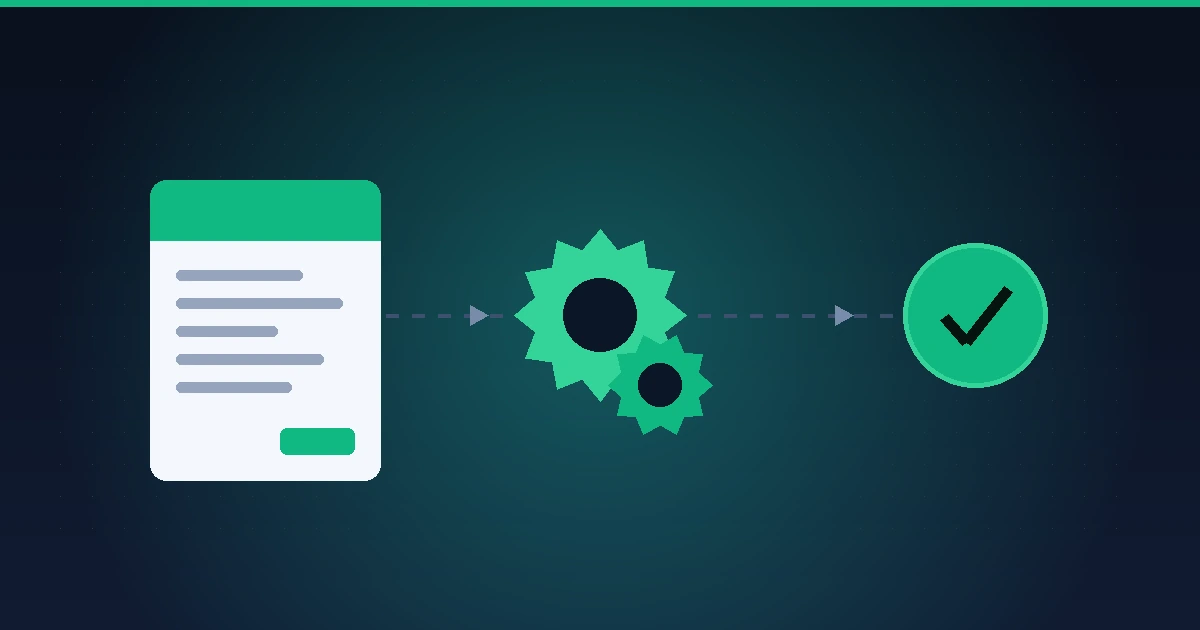
Invoice automation software replaces manual accounts payable work — data entry, approval chasing, matching invoices to purchase orders — with a system that captures, codes, routes, and pays invoices on its own.
Ardent Partners’ State of ePayables research has for years put the cost of processing an invoice by hand at around $10 or more, against under $3 for teams running a well-implemented automated workflow. That gap, multiplied across thousands of invoices a year, is why the category keeps growing at a double-digit clip even in finance teams that are otherwise cutting software spend.
This guide covers what invoice automation software actually does, the features that separate a real automation platform from a glorified scanner, what it costs, how to choose between the main categories of tools, and the mistakes that stall most rollouts in the first ninety days.
What is invoice automation software?
Invoice automation software is a system that uses OCR (optical character recognition) and AI to extract data from incoming invoices, then automatically codes, routes, and matches them against purchase orders before payment. It removes the manual re-keying, email approval chains, and paper trails that slow down traditional accounts payable, and it typically syncs the finished record back into your accounting or ERP system without a second manual entry.
The category sits inside the broader field of business process and workflow automation, applied specifically to the invoice-to-payment cycle rather than to workflows generally. (Linked in the digital edition to: /automation/process-workflow-automation-software/)
How invoice automation software works
Most platforms follow the same core sequence, whether the invoice arrives by email, a vendor portal, or paper mail scanned at intake:
- Capture. The invoice is ingested from email, a vendor portal, EDI, or a scanned document, and AI-driven OCR extracts line items, totals, tax, and vendor details.
- Coding. The system assigns a general ledger code and cost center, either from learned patterns on past invoices or from rules the finance team sets.
- Matching. For purchase-based spend, the invoice is checked against a purchase order and, where required, a receiving record — a two-way or three-way match that flags discrepancies before anyone approves a payment.
- Approval routing. The invoice moves to the right approver automatically, based on amount, department, or vendor, with reminders replacing manual follow-up emails.
- Payment execution. Once approved, the platform schedules or executes payment — ACH, wire, virtual card, or check — often through its own payment rails rather than a separate step.
- Sync and archive. The completed invoice and payment record post back to the general ledger or ERP automatically, with a full audit trail retained for close and for audit.
The practical difference this makes shows up less in the big steps and more in what disappears: no PDF sitting in an inbox for a week, no approver hunting for the original PO, no finance team member re-typing a vendor’s invoice number into three systems.
Key benefits of invoice automation
- Lower processing cost: Automated workflows cut per-invoice cost from roughly $10 to under $3, per Ardent Partners’ ePayables benchmarking, mainly by removing manual data entry and rework on errors.
- Faster approval cycles: Automatic routing and reminders shrink approval time from days to hours in most implementations, since invoices no longer wait in a single approver’s inbox.
- Fewer errors and duplicate payment: AI-driven duplicate detection and PO matching catch mismatches before payment, not after, which is when they’re expensive to unwind.
- Better cash flow visibility: A live queue of what’s owed, what’s approved, and what’s scheduled replaces a spreadsheet reconciled once a week.
- Stronger audit trail: Every action — capture, coding, approval, payment — is timestamped and attributed, which matters at close and during an external audit.
- Vendor relationship quality: Faster, more predictable payment reduces the vendor-side friction (and occasional early-payment discount loss) that comes from a slow manual process.
Core features to look for
Not every tool marketed as “invoice automation” covers the same ground. Before evaluating vendors, check for these capabilities specifically:
| Feature | Why it matters |
|---|---|
| AI-driven OCR / data capture | Determines how much manual correction your team still does after “automation” — the real differentiator between tools |
| Two- or three-way PO matching | Prevents paying for goods or services that weren’t received or approved |
| Configurable approval workflows | Routes by amount, department, or vendor without hardcoding a single approval chain |
| Duplicate and fraud detection | Flags suspicious vendor changes, duplicate invoice numbers, and mismatched bank details |
| ERP and accounting integrations | Determines whether you get a true single source of truth or a second system to reconcile manually |
| Multi-currency and global payments | Relevant only if you pay international vendors; adds real cost if you don’t need it |
| Vendor communication tools | Keeps invoice questions and disputes in one place instead of scattered email threads |
| Audit trail and compliance reporting | Required for SOX compliance, external audits, and most enterprise close processes |
Invoice automation vs. related categories
The terminology in this space gets used loosely, and it’s worth being precise about it before you shortlist anything:
- Invoice automation / AP automation covers the full invoice-to-payment cycle: capture, coding, approval, matching, and payment.
- OCR / data extraction tools (Docsumo, Rossum, Nanonets, and similar) handle only the capture step — pulling structured data out of a scanned or PDF invoice — and are often used as a component inside a broader AP platform rather than a replacement for one.
- E-invoicing platforms focus on structured, machine-readable invoice formats exchanged directly between buyer and supplier systems, which is a compliance requirement in a growing number of countries and reduces the need for OCR entirely on invoices that arrive already structured.
- Procure-to-pay (P2P) software wraps invoice automation into a wider purchasing workflow — requisition, PO issuance, receiving, and invoice matching — and suits organizations where most spend starts with a formal purchase order.
If your accounts payable problem is mostly “invoices take too long to approve and pay,” you want AP automation. If it’s mostly “we need structured, compliant electronic invoices for tax or regulatory reasons,” you’re looking at e-invoicing first.
What implementation actually looks like
The features above describe the destination; the rollout itself has a few consistent friction points worth planning for.
Vendor onboarding is usually the slowest part, not the software configuration. Getting existing suppliers to submit invoices in a format the system reads cleanly — rather than a scanned photo of a paper invoice — takes weeks of outreach, not a settings change.
Exception handling needs a human owner from day one. AI-driven coding and matching handle the majority of invoices without intervention, but the remainder — a mismatched PO, an unrecognized vendor, a currency conversion discrepancy — still needs someone with authority to resolve it, or exceptions pile up faster than the automation saves time.
Approval workflows tend to get over-engineered at rollout. Teams often port their entire existing (and often informal) approval hierarchy into the new system exactly as it was, which preserves the slow parts of the old process inside a faster tool. A rollout is a natural point to simplify approval tiers, not just automate the existing ones.
What it costs
Pricing in this category follows three broad models, and the right one depends more on invoice volume than company size:
- Per-user pricing: common among smaller platforms and general accounting suites, typically ranging from roughly $20 to $100 per user per month depending on feature tier.
- Per-invoice or per-document pricing: common at mid-market and enterprise scale, where cost scales with transaction volume rather than headcount; this model tends to be more predictable for finance teams processing a high, steady invoice volume.
- Custom/enterprise pricing: the norm for platforms serving global payables, multi-currency operations, or organizations processing thousands of invoices a month, where the vendor prices based on volume, entity count, and payment rails used rather than publishing a rate card.
Most vendors in this category don’t publish full pricing, since it depends heavily on invoice volume and payment methods – treat any published number as a starting point for a conversation, not a final figure, and confirm current pricing directly with the vendor before budgeting.
How to choose the right tool for your business
The main categories worth knowing before you shortlist anything:
- All-in-one spend and AP platforms: (Ramp, Airbase) bundle invoice automation with corporate cards and broader spend management — a good fit if you want one system covering cards, expenses, and AP together.
- AP-first collaboration platforms: (Stampli, BILL) center the invoice itself as a communication thread between approvers and vendors, which suits teams whose biggest current pain is email back-and-forth over invoice questions.
- Global payables platforms: (Tipalti) are built for paying large numbers of international vendors, with built-in tax form collection and multi-currency payment rails — a lot of platform for a domestic-only vendor base to pay for.
- High-volume processing platforms: (Yooz, Medius) are built around per-document pricing and deep ERP integration, which suits organizations with a high, steady invoice count rather than a small vendor list.
Match the category to your actual bottleneck rather than the vendor with the most feature checkboxes: a five-person finance team paying forty domestic vendors a month has a very different shortlist than a multinational processing thousands of invoices across a dozen currencies. For a full side-by-side comparison of specific platforms, pricing, and where each one falls short, see our complete guide to invoicing and billing software (linked in the digital edition to: /accounting-finance/invoicing-billing-software/best/overview/).
Common mistakes when automating invoices
- Automating a broken process instead of fixing it first. A slow, overly complex approval chain doesn’t get faster by digitizing it — simplify it before automating it.
- Skipping vendor communication. Suppliers who keep sending PDFs by email to an old inbox will quietly bypass the new system unless onboarding includes a real change-management push.
- Underestimating integration work. ERP and accounting system integrations are usually the longest line item in an implementation timeline, not the invoice-capture setup.
- Treating exceptions as an afterthought. Every automated workflow still produces exceptions; without a clear owner, they accumulate into a backlog that erodes the entire business case for the switch.
- Choosing based on demo polish alone. A platform that demos well on a clean sample invoice can perform very differently against your actual vendors’ messy, non-standard formats — test with your own invoices before signing.
Key takeaways
- Invoice automation software captures, codes, routes, matches, and pays invoices with minimal manual intervention, cutting per-invoice cost from roughly $10 to under $3.
- Real automation includes PO matching, configurable approval routing, and ERP integration – not just OCR data capture.
- Pricing follows per-user, per-invoice, or custom enterprise models; invoice volume matters more than company size when picking one.
- The biggest implementation risk isn’t the software — it’s an unmanaged approval hierarchy carried over unchanged and vendor onboarding treated as an afterthought.
Frequently asked questions
Is invoice automation software the same as accounts payable automation?
They’re used interchangeably in most of the market. Invoice automation more precisely refers to the capture-to-approval steps, while AP automation often includes payment execution and vendor management as well — in practice, most platforms marketed under either name cover the full cycle.
Do small businesses need invoice automation software, or is it only for large companies?
Volume matters more than company size. A small business processing dozens of invoices a month from a stable vendor list may get more value from a simpler accounting tool’s built-in invoicing than a dedicated AP platform, while a lean team processing hundreds of invoices monthly often sees a faster payback from automation than a much larger, lower-volume organization.
How long does it take to implement invoice automation software?
Basic setup often takes days, but full deployment — including vendor onboarding and integration testing — typically takes four to eight weeks for a mid-market team, and longer for organizations with multiple entities, currencies, or legacy ERP systems.
Can invoice automation software integrate with QuickBooks, NetSuite, or SAP?
Most established platforms in this category integrate with major accounting and ERP systems, including QuickBooks, Xero, NetSuite, Sage Intacct, Microsoft Dynamics 365, and SAP, though the depth of integration (one-way sync versus true two-way reconciliation) varies by vendor and is worth confirming during evaluation rather than assuming from a marketing page.
Does invoice automation software eliminate the need for an accounts payable team?
No. It removes manual data entry and chasing approvals, but exceptions, vendor disputes, and judgment calls on unusual invoices still need a person with authority to resolve them — automation changes what the AP team spends time on, not whether one is needed.
Ready to compare specific platforms side by side? Our invoicing and billing software comparison guide (/accounting-finance/invoicing-billing-software/best/overview/) breaks down pricing, integrations, and where each tool is the strongest fit. If you’re closer to a purchase decision, see current pricing and demo options (/accounting-finance/invoicing-billing-software/pricing/overview/) for the leading platforms.
